Track the lifecycle
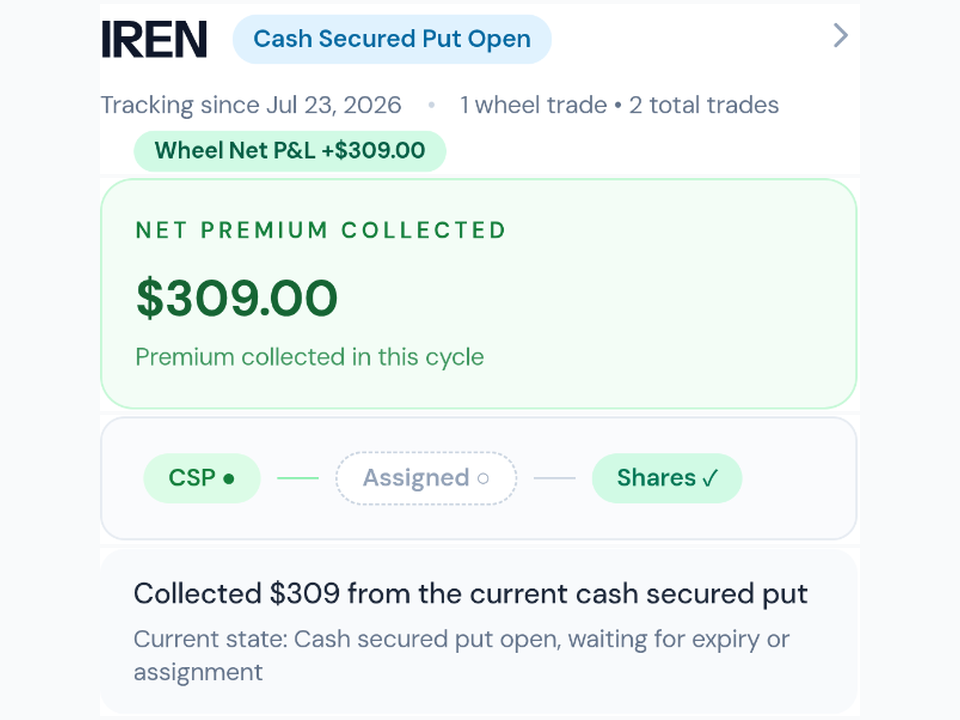
Track the complete Wheel lifecycle in one view
Follow cash-secured puts, assignment, shares, covered calls, premium, and exits as one connected Wheel cycle.
Card required. Pay $0 today. Cancel before the trial ends to avoid a charge.
The problem
The Wheel is a lifecycle, not a list of unrelated trades
When a short put becomes shares and those shares become collateral for a covered call, a contract-by-contract ledger loses the context that matters.
Optioneer keeps the position stages and cash flows connected so cost basis, collected premium, and the current stage remain understandable.
Workflow
How it works
- 1
Start with the short put
Record the cash-secured put, premium, collateral, expiration, and outcome.
- 2
Carry assignment forward
If assigned, continue the same lifecycle with shares rather than starting a disconnected position.
- 3
Track covered calls
Add covered calls against the shares and follow premium, expiration, assignment, or a new call.
- 4
Review the full cycle
See the connected activity and realized outcome when the shares leave the portfolio or the cycle closes.
What it can do
- Connected cash-secured put, assignment, shares, and covered-call stages
- Premium, collateral, break-even, and lifecycle activity tracking
- Open and completed Wheel cycles in the same portfolio workflow
- Roll workflows for eligible short puts and covered calls
- Lifecycle-aware realized results in Your Edge
Important limits
- Optioneer records and analyzes the lifecycle; it does not execute Wheel trades.
- A complete result depends on recording or importing the relevant assignments, expirations, closes, and share exits.
- Market values and Greeks depend on available quote data.
Questions about track the lifecycle
Can Optioneer track the Wheel strategy?
Yes. It connects the short-put, assignment, share, covered-call, and exit stages so the Wheel can be reviewed as one lifecycle.
Does assignment end a Wheel cycle?
No. An assigned short put can continue into the share and covered-call stages. The realized lifecycle result remains open until the shares exit.
Can I compare a roll for a Wheel position?
Eligible short puts and covered calls can use Roll Assistant to compare current option-chain candidates. Candidates are not recommendations.
Continue the workflow
Related Optioneer features
Roll Assistant
Compare eligible Wheel rolls using current option-chain data.
Your Edge
Review completed lifecycle outcomes by strategy and underlying.
Wheel strategy guide
Learn how the strategy stages, risks, and tradeoffs fit together.
Put the full workflow in one place
Track what you own, understand the exposure, find ideas, test portfolio fit, and manage what happens next.