Optioneer comparison

Optioneer vs TradesViz: focused options workflow or broad trading journal?

TradesViz covers more asset classes and its Options Command Center manages open options positions with portfolio Greeks, payoff analysis, and Wheel tracking. Optioneer connects a US stocks-and-options portfolio to Discovery, selected-portfolio scenarios, and eligible roll comparison.

Card required. Broker Sync requires active paid Premium and is not available during the trial. Set up positions with manual or supported CSV import or review the tested IBKR Broker Sync requirements.

Competitor information last checked:

Quick decision

Which product fits your main job?

Start with the outcome you need most. These tools overlap, but they are not organized around the same problem.

Choose Optioneer

Choose Optioneer if you mainly trade US-listed stocks and options and want a focused portfolio workflow with Wheel tracking, Discovery, Scenario Lab, and eligible roll comparison.

Choose TradesViz

Choose TradesViz if you trade multiple asset classes or need extensive journal customization, simulation, replay, backtesting, behavior analysis, and AI-assisted review.

Feature comparison

What each tool helps you do

Source icons open the official competitor page supporting each claim.

Primary job

Optioneer

Options portfolio workflow

A focused system for US-listed stocks and options positions, ideas, scenarios, and management.

TradesViz

Multi-asset trading journal

Import, organize, analyze, simulate, and review trading activity across many markets.

Asset coverage

Optioneer

US stocks and options focus

Designed around stock and options portfolios, including multi-leg and Wheel workflows.

TradesViz

Broad multi-asset coverage

Paid plans cover stocks, options, futures, forex, crypto, CFDs, and multiple markets.

Journal analytics

Optioneer

Portfolio P/L + Your Edge

Review current portfolio performance and realized outcomes by strategy and underlying.

TradesViz

Deep journal analytics

Extensive statistics, dashboards, behavior analysis, tags, plans, and AI review tools.

Options portfolio exposure

Optioneer

Position and portfolio Greeks

Delta, Gamma, Theta, and Vega are shown when reliable data is available.

TradesViz

Portfolio Greeks + Command Grid

The Options Command Center shows portfolio Delta, Gamma, Theta, and Vega alongside open-position drilldowns.

Open-position management

Optioneer

Position detail + management tools

Review recorded activity, P/L, available Greeks, Wheel stage, and eligible roll candidates.

TradesViz

Options Command Grid

Review open strategies and legs, expiration and P/L details, and position-level analysis from one command view.

Portfolio payoff analysis

Optioneer

Scenario Lab

Estimate how a hypothetical trade changes the selected portfolio without modifying real positions.

TradesViz

Portfolio payoff chart

The Options Command Center documents T+0 and expiration portfolio payoff views.

Testing and replay

Optioneer

Portfolio Scenario Lab

Test a hypothetical trade against current cash, concentration, and portfolio Greeks.

TradesViz

Simulation, replay, and backtesting

Practice and test trades across historical data with specialist simulation tools.

Wheel tracking

Optioneer

Wheel Tracker

Follow recorded short puts, assignment, shares, covered calls, and final exits.

TradesViz

Wheel Cost Basis Dashboard

Track assignments, shares, covered calls, gross and net kept premiums, and lifecycle drilldowns.

Workflow comparison

How each product supports the next portfolio decision

TradesViz combines a configurable journal with an options management dashboard. Optioneer starts from a selected portfolio and carries an idea through screening, scenario testing, and eligible roll comparison.
1

Optioneer

Collect the record

Add trades manually, import supported CSV activity, or use eligible read-only Broker Sync.

TradesViz

Collect the record

Import through broker connections, CSV, supported platforms, Google Drive, FTP, or manual logs.

2

Optioneer

Analyze performance

Review portfolio P/L and Greeks, then use Your Edge for realized outcomes by strategy and underlying.

TradesViz

Analyze performance

Build reports and dashboards from a broad set of statistics, tags, plans, notes, and AI review tools.

3

Optioneer

Prepare the next decision

Use Discovery, Scenario Lab, Wheel Tracker, and Roll Assistant to keep the next decision connected to the portfolio.

TradesViz

Prepare the next decision

Use screeners, options flow, simulators, replay, and backtesting to research and practice.

Optioneer product example

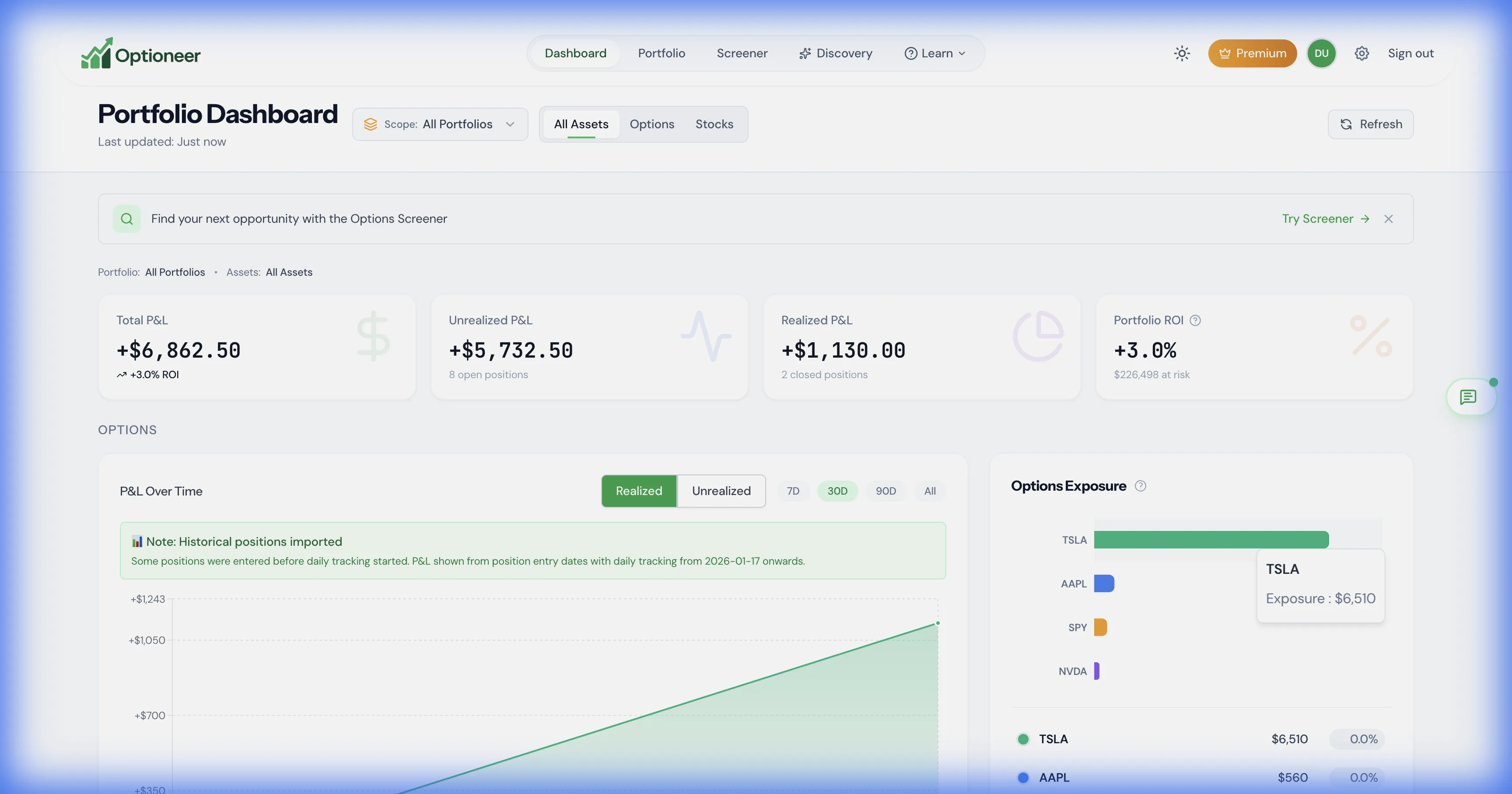
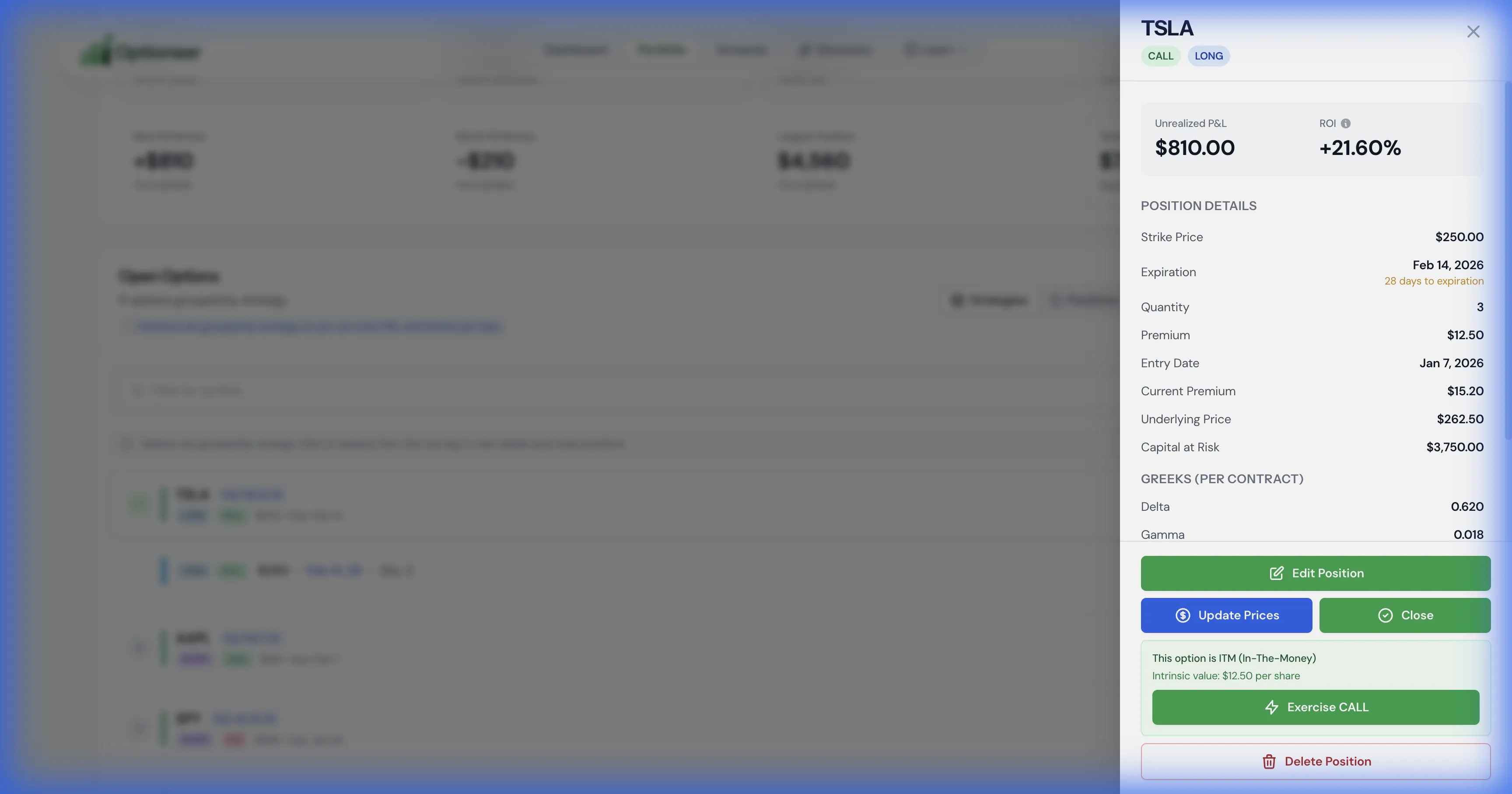
See Optioneer’s options dashboard and management context

These safe demo captures show the concrete Optioneer views used to inspect a portfolio and an individual position. TradesViz offers its own documented Command Center for comparable management jobs.
Optioneer demo options dashboard with portfolio exposure and profit and loss
Portfolio dashboard: inspect recorded positions, exposure, and P/L before opening a position for management. Illustrative demo data.
Optioneer demo position management view with Greeks and position controls
Position management: review available Greeks and recorded activity, then use eligible management tools. Estimates depend on market data. Illustrative demo data.

Product strengths

Where the products differ

TradesViz is a broad, multi-asset journal and analytics platform whose Options Command Center adds open-position management, portfolio Greeks, payoff analysis, and a Wheel dashboard.

Where TradesViz stands out

  • TradesViz provides broader multi-asset coverage and a highly configurable journal and dashboard system.
  • Its Options Command Center explicitly supports open-position management, portfolio Greeks and payoff, and a dedicated Wheel dashboard.
  • Its simulation, trade replay, and backtesting capabilities are substantially broader than Optioneer, which does not offer historical backtesting.

Pricing comparison

Compare the subscription and what it is for

Prices are snapshots from the linked official pricing pages. Taxes, promotions, market-data rules, app-store pricing, and plan details can change.

Optioneer Premium

US$19/month or US$150/year

  • Monthly plan: US$19, billed monthly
  • Annual plan: US$150, paid annually (US$12.50/month equivalent)
  • 7-day Premium trial; payment card required
  • Broker Sync is not available during the trial and requires active paid Premium
View Optioneer pricing

TradesViz

Basic US$0; Pro US$19/month or US$179/year; Platinum US$29/month or US$269/year

  • Basic: US$0, with stock-only journaling and a 3,000-execution monthly limit shown on the pricing table
  • Pro: US$19 billed monthly or US$179 paid annually
  • Platinum: US$29 billed monthly or US$269 paid annually
  • The Options Command Center is listed with Platinum
View official TradesViz pricing

Monthly Pro matches Optioneer at US$19, while annual Pro is US$179 versus Optioneer at US$150. The Options Command Center is listed with the higher-priced Platinum plan. Free-tier restrictions are shown separately.

Frequently asked questions

Questions about Optioneer and TradesViz

Do both products show portfolio Greeks and track the Wheel?+

Yes. TradesViz documents portfolio Delta, Gamma, Theta, and Vega plus a dedicated Wheel Cost Basis Dashboard in its Options Command Center. Optioneer shows portfolio Greeks when reliable data is available and has a Wheel Tracker tied to recorded portfolio activity.

Does Optioneer support backtesting?+

No. Optioneer Scenario Lab tests a hypothetical trade against the portfolio as it stands; it is not a historical backtester. TradesViz offers simulation, replay, and backtesting tools.

Which product is better for futures, forex, or crypto?+

TradesViz. Its paid plans support those asset classes. Optioneer focuses on US-listed stocks and options, with coverage dependent on available market data.

How do I bring positions into Optioneer?+

Enter trades manually, import supported CSV activity, or use eligible read-only Broker Sync after the trial with active paid Premium. Historical analytics depend on the transactions available. This page does not promise direct migration from a TradesViz export.

Is Broker Sync included during the Optioneer trial?+

No. The 7-day Premium trial requires a card and lets you use manual or supported CSV setup plus the product workflow. Broker Sync requires active paid Premium and an eligible account after the trial.

Official competitor sources

We use first-party product and pricing pages and date the review so claims can be rechecked.

Competitor information last checked:

Try the Optioneer workflow

Try the focused options portfolio path

Use one connected flow for your positions, options exposure, Wheel cycles, candidates, scenarios, and eligible rolls.

Back to all comparisons